After Effects script
Caption Proof
Guide to the free preview and paid edition
Try Free Preview without signing in. It compares a corrected SRT with your caption layers in After Effects on your computer. To apply the changes to a duplicate composition, use the full edition.
The full edition is a one-time purchase of ¥1,980 on BOOTH. A pixiv account is required to buy it. Both editions include guides and practice files in English and Japanese. If your timeline starts at a nonzero timecode
Download
- Download the Free Preview ZIP here without signing in. For the full edition, open the English BOOTH product page, choose Add to Cart next to 1,980 JPY and sign in with your pixiv account. After payment, download the ZIP from your purchase history or library.
- The direct download and both BOOTH editions are version 1.0.2. Extract the ZIP and open the
Englishfolder for the English script, guide and practice files. For Japanese, openJapanese. Use the script and sample from the same folder.
In earlier single-language downloads, the script and sample are in the top-level folder.
Try three captions
Tested on Windows 11 with After Effects 26.5.3. After Effects is required separately. The sample project was created in this version.
- Save your current project and open
English/sample/CaptionProof-Demo.aepin After Effects. - Open Print Room - Before Proof. In its timeline, select Caption 01, Caption 02 and Caption 03.
- Choose File → Scripts → Run Script File. In the
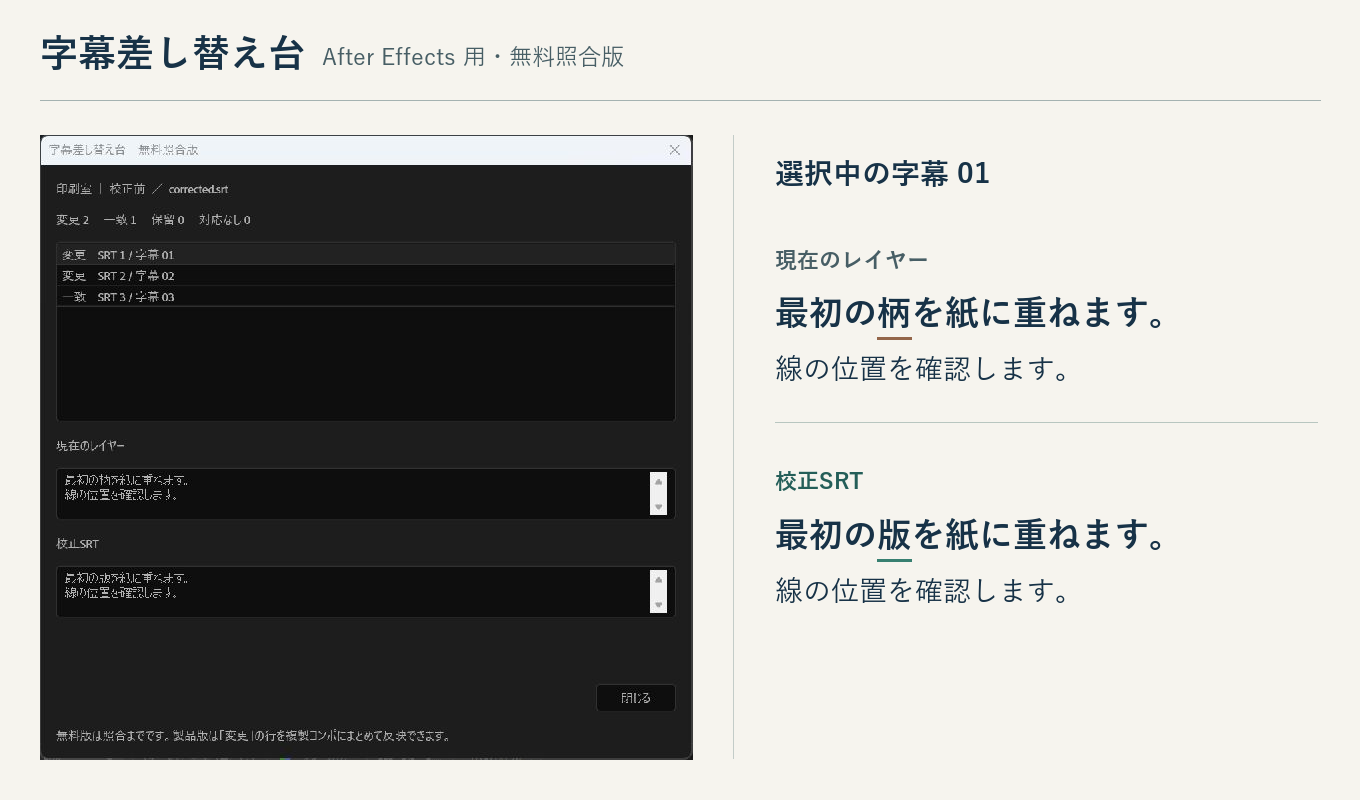
Englishfolder, runCaptionProofPreview.jsxfor the preview orCaptionProof.jsxfor the paid edition. SelectEnglish/sample/corrected.srtwhen prompted. - Select the first result. Under Current layer text, the line reads “Align the frist plate.” Under Revised SRT text, it reads “Align the first plate.”
Sample result · Changes 2, Unchanged 1, Skipped 0, Unmatched 0. In the preview, choose Close to finish. In the paid edition, choose Apply to duplicate (2) to review both corrections in a copy of the composition.
If your timeline starts at a nonzero timecode, both editions of 1.0.2 ask you to confirm the time origin before comparing. Check the box and choose Compare using this clock only if 00:00:00,000 in the SRT means the start of the target comp. The first caption can start later. If the SRT follows displayed timeline or footage timecode, cancel and export the SRT with the target comp’s start as zero. Displayed timecode is not converted automatically.
Versions 1.0.0 and 1.0.1 omit this prompt. If you use either version, verify the time origin yourself. In all versions, check the change count and the original text in each row before applying. The full edition writes to a duplicate and preserves the original comp.
Troubleshooting
The SRT will not open
Save a plain-text UTF-8 SRT. Each cue needs a number, a start and end time, and its text. Separate cues with a blank line and remove formatting tags or character entities. Japanese, English and multiline captions are supported.
A cue shows “Unmatched”
Use an SRT exported from the same edit and select the caption text layers in their composition. SRT time 00:00:00,000 is the beginning of the comp. Both the start and the end must match the layer’s in and out points when rounded to the nearest frame at the comp’s frame rate. In 1.0.2, a static text layer at −100% stretch can also match when both ends of its visible interval align with the SRT cue.
A row shows “Skipped”
Select the row to see its reason. If several cues or selected layers cover the same interval, check the SRT and narrow your layer selection. Locked layers, Source Text expressions or keyframes, mixed formatting, text animators and text on a path can all cause a row to be skipped.
Support
Tell us your After Effects version, which edition you used, the step where the problem occurred and the message shown. If possible, say whether you can reproduce it with the included sample.
tobimintgames@gmail.comTerms of use
Individuals and companies who obtain the free preview or purchase the paid edition may use it for their own editing and for client projects. You may commercially publish and deliver the finished videos. Redistributing or reselling the script or the included sample materials themselves requires separate permission from the publisher.
Privacy
Caption matching runs on your computer. The script reads the SRT you choose and the caption layers in After Effects. It does not transmit the files or caption text to an external service.
When you email support, the support inbox receives your email address, message and any attachments you send. We use these to investigate and reply. For your first message, please leave out client details, production footage and confidential subtitles.